

Contact us
English

All signal, no noise.

Ad-free IPTV player for your TV and phone

Add your M3U or Xtream Codes playlist and watch channels with a TV guide, catch-up and recording. One app for Android TV, TV boxes, phones and tablets.

Coming soon to Google Play
  • No ads, no sign-up
  • Android TV and phone
  • M3U and Xtream Codes
  • Open playlists from iptv-org
Player: the current programme and every channel control in one row Home on a phone: Continue watching and recent channels

See Vezha in action

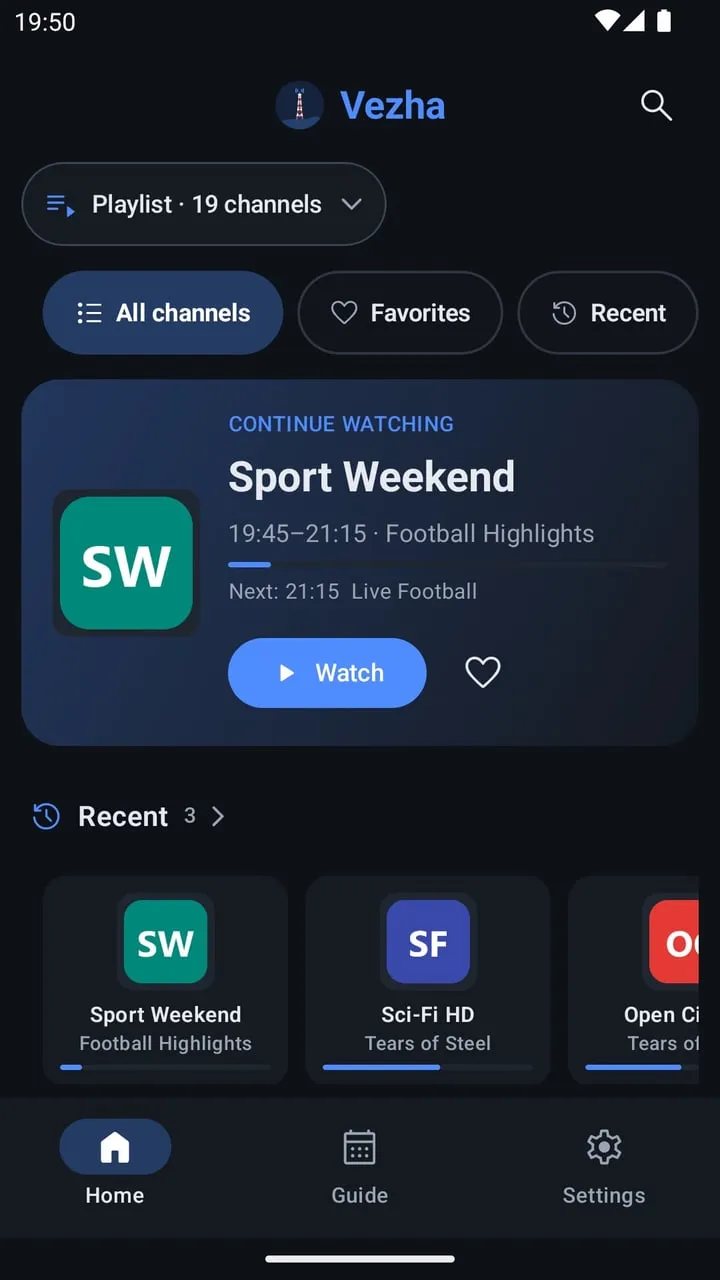
Home on a phone: Continue watching and recent channels
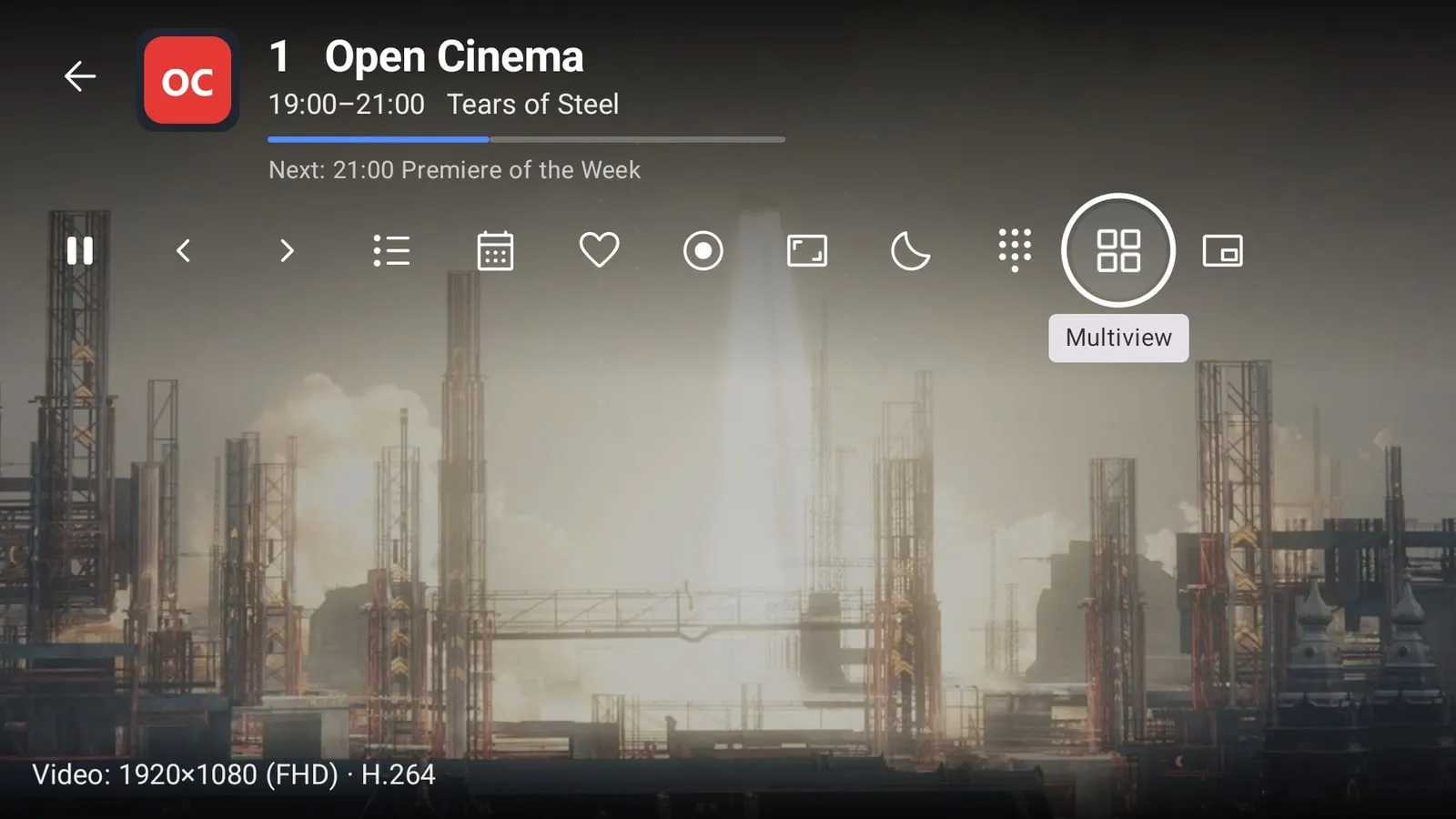
Player: the current programme and every channel control in one row
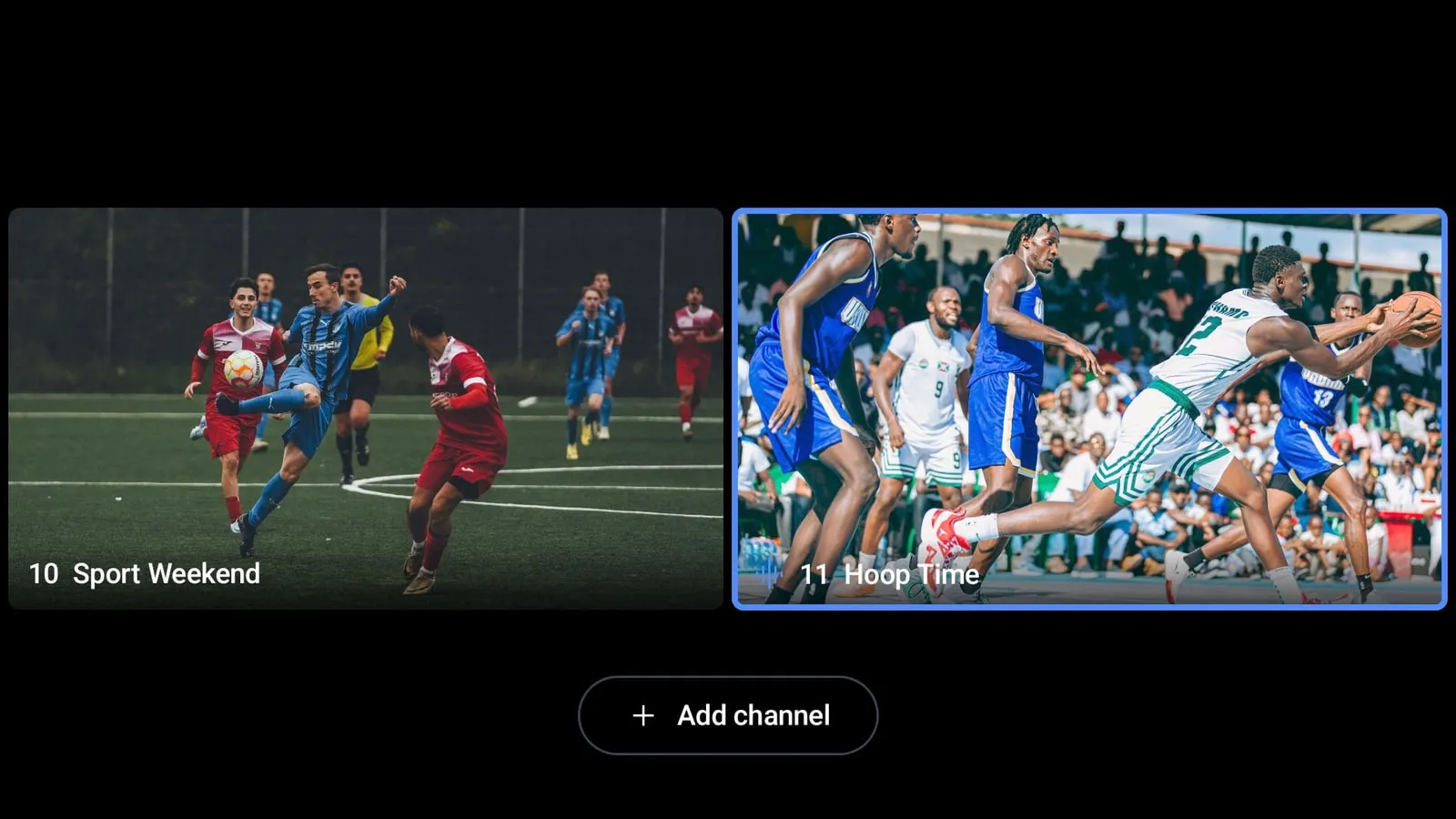
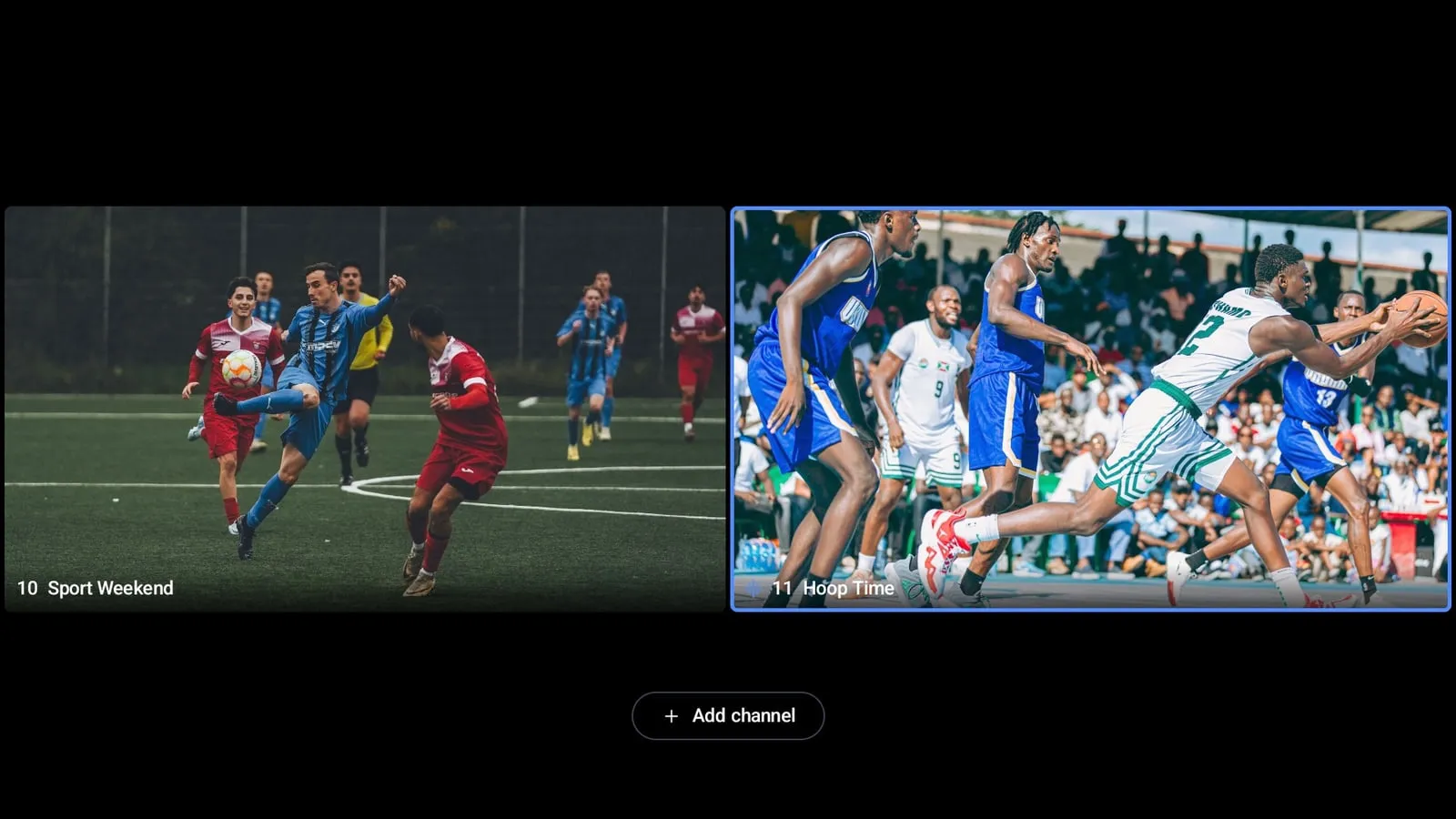
Multiview with two channels
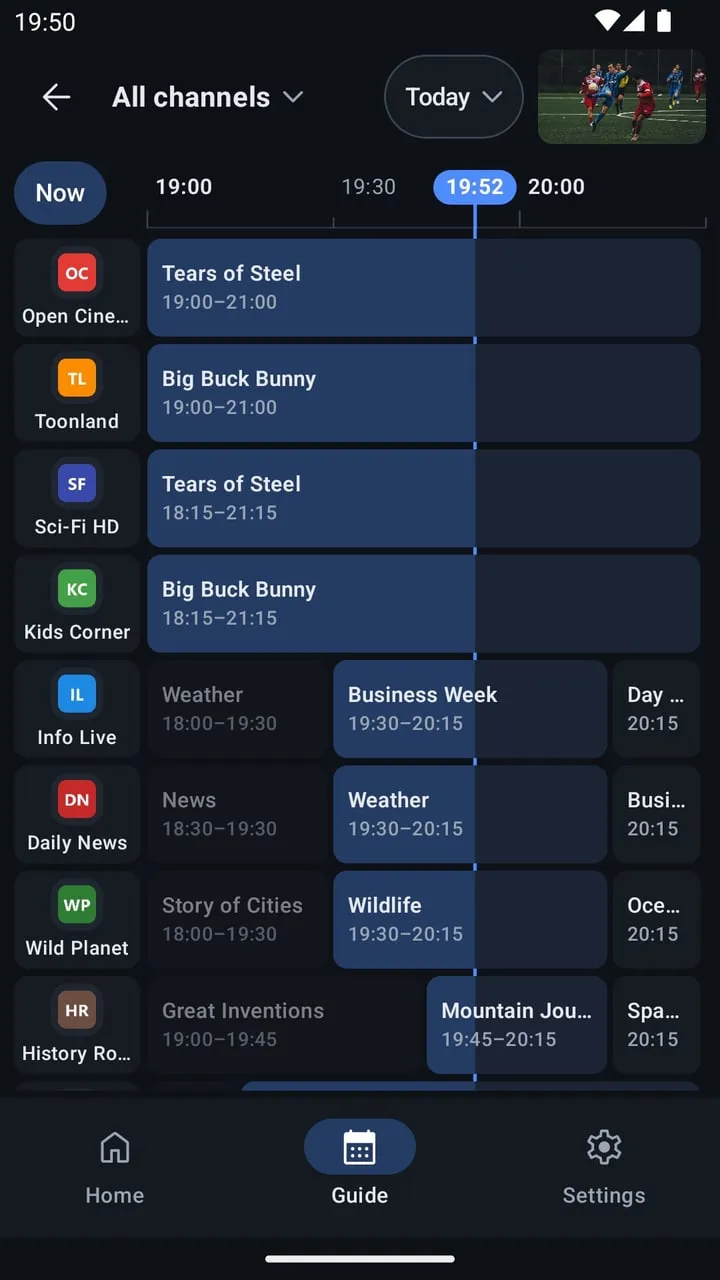
TV guide on a phone
TV guide on a phone
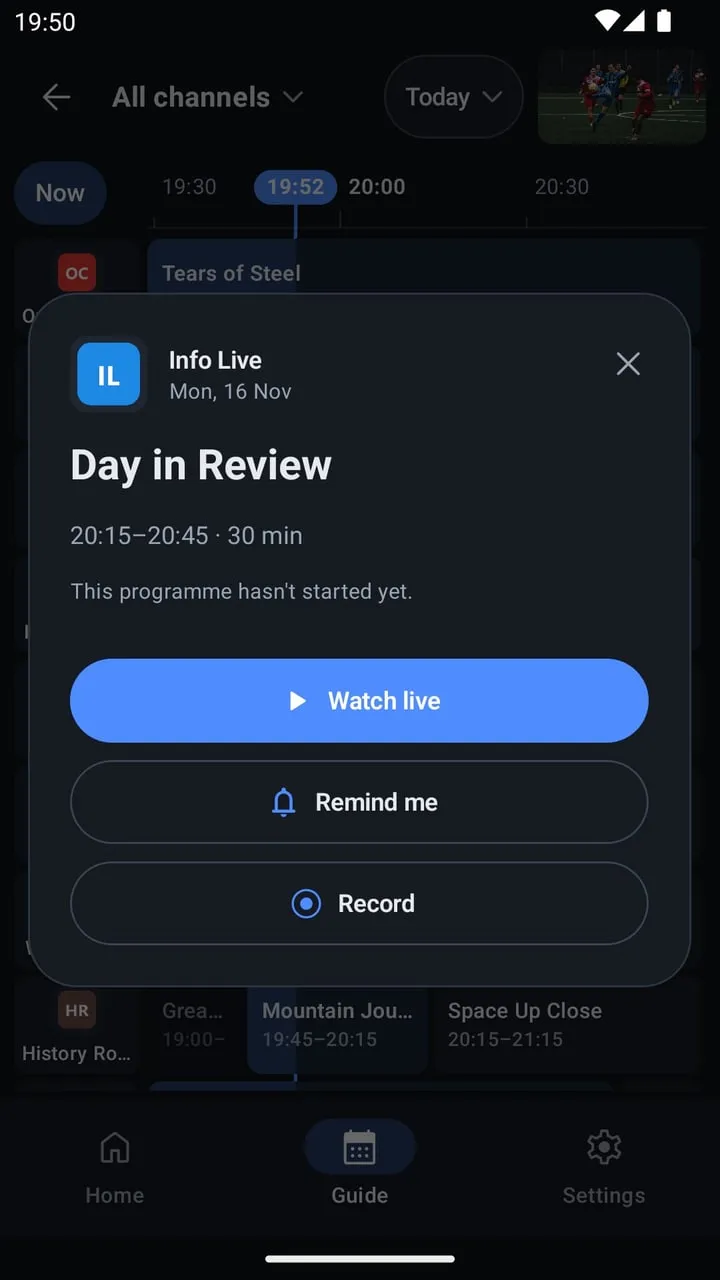
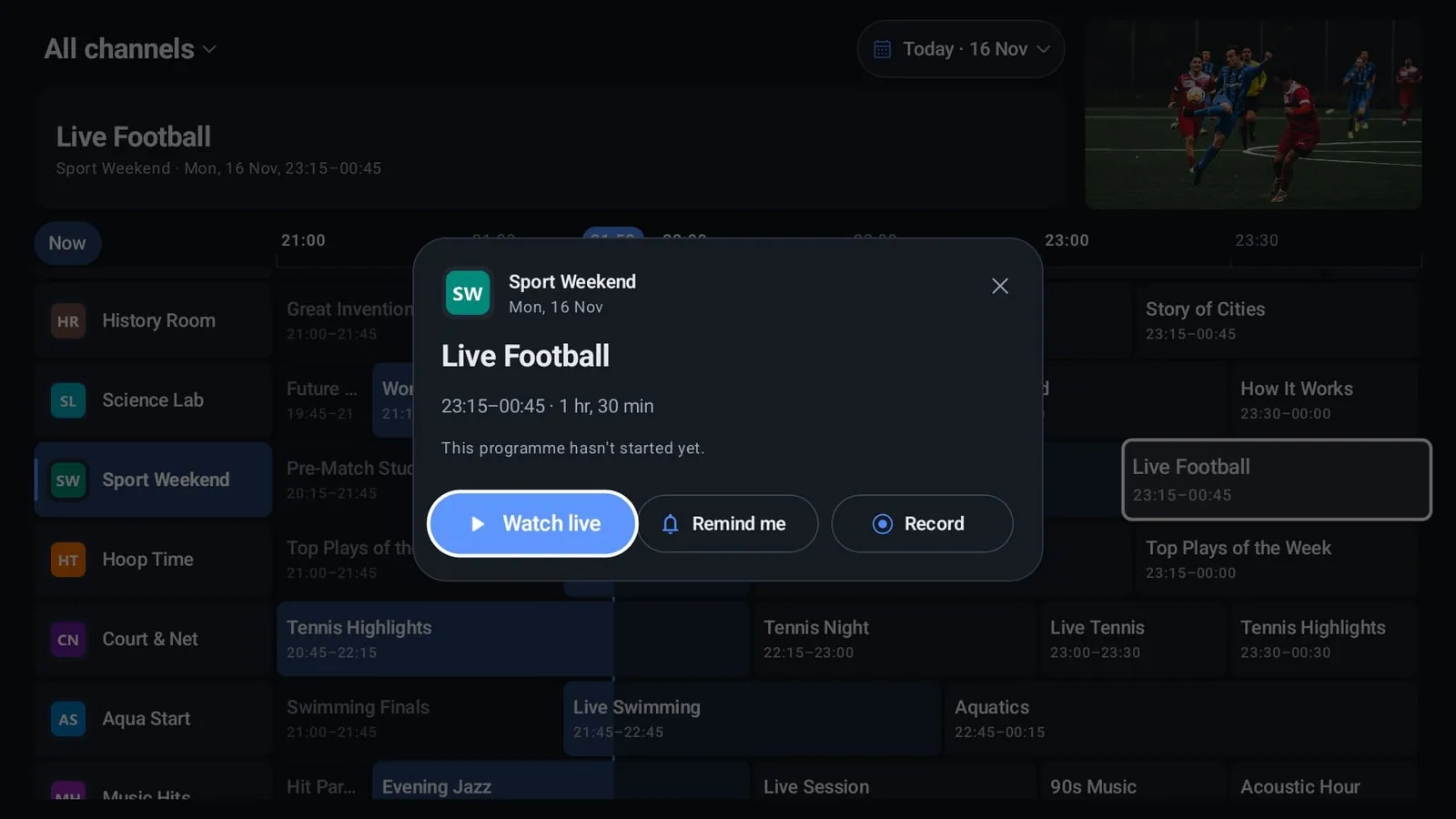
A programme in the TV guide: Remind me and Record
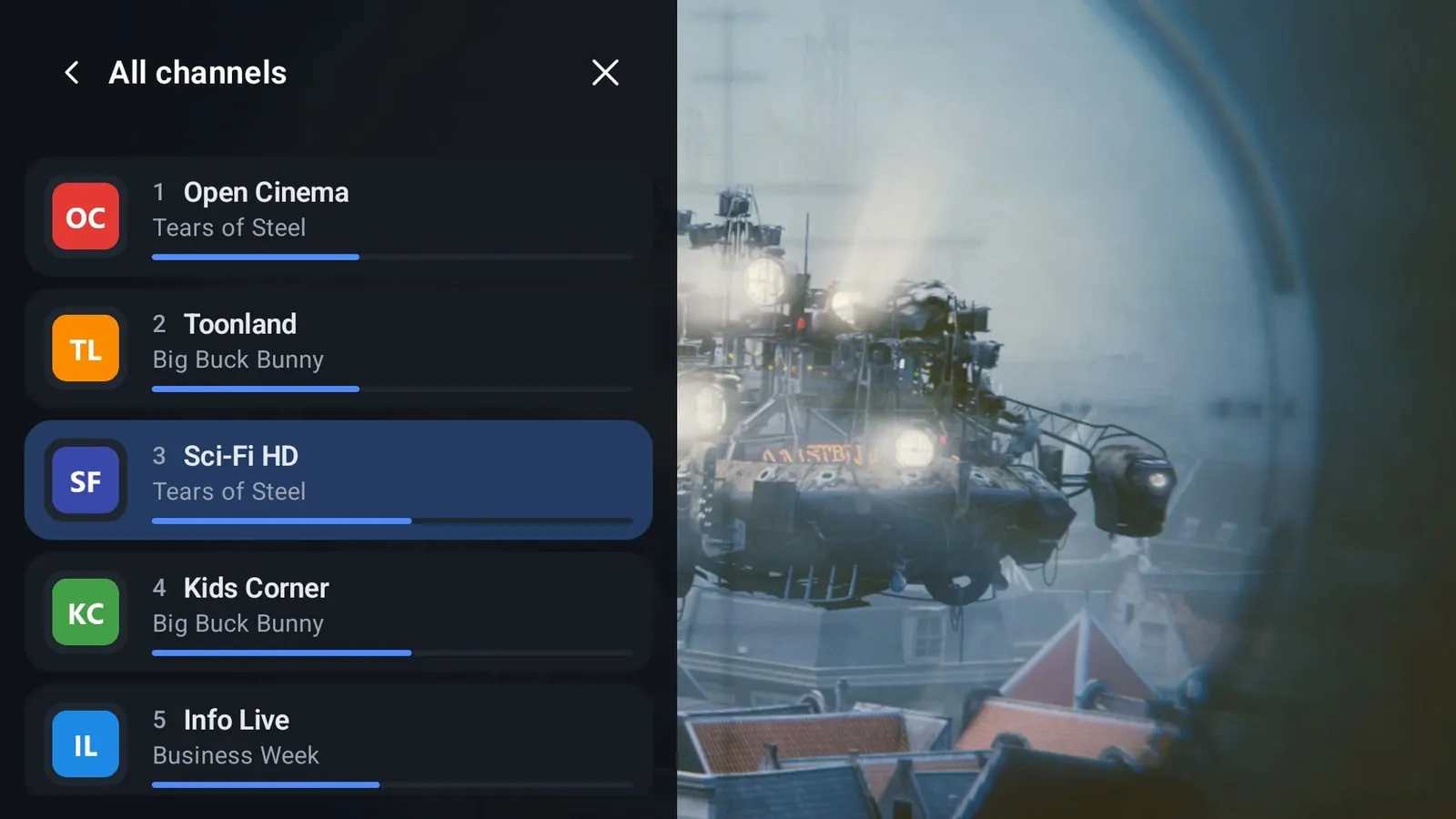
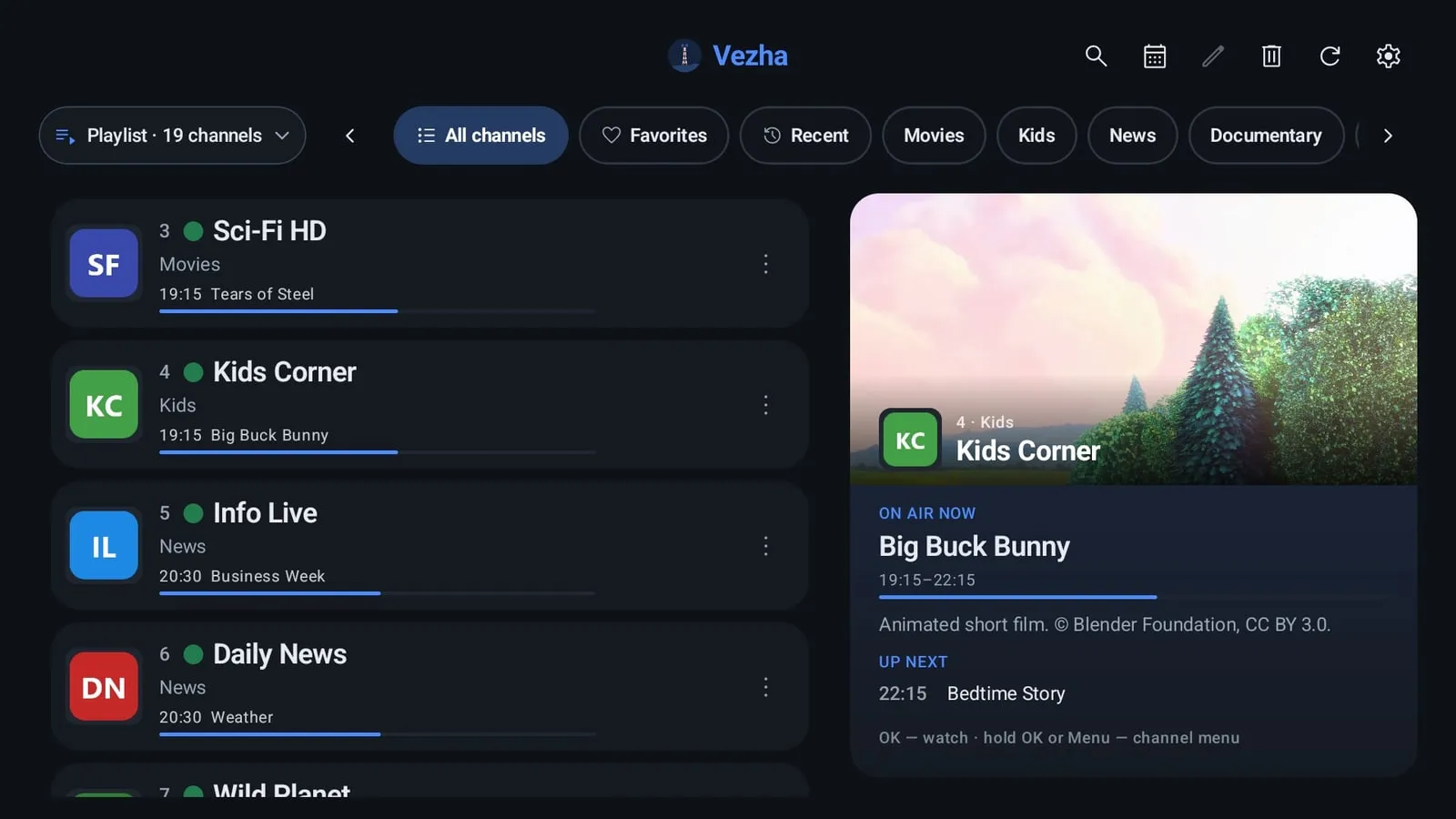
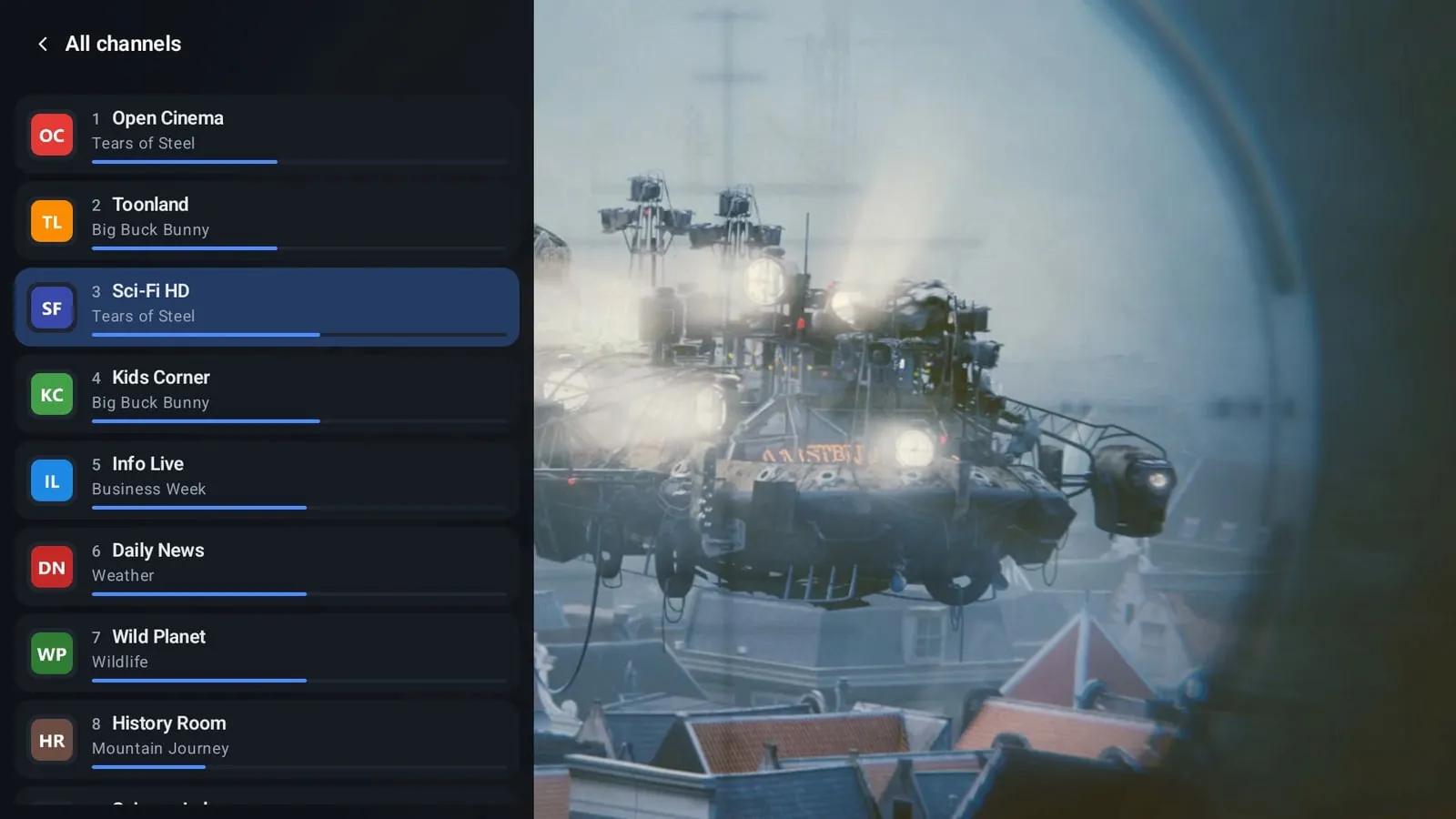
Channel list with groups and what's on now
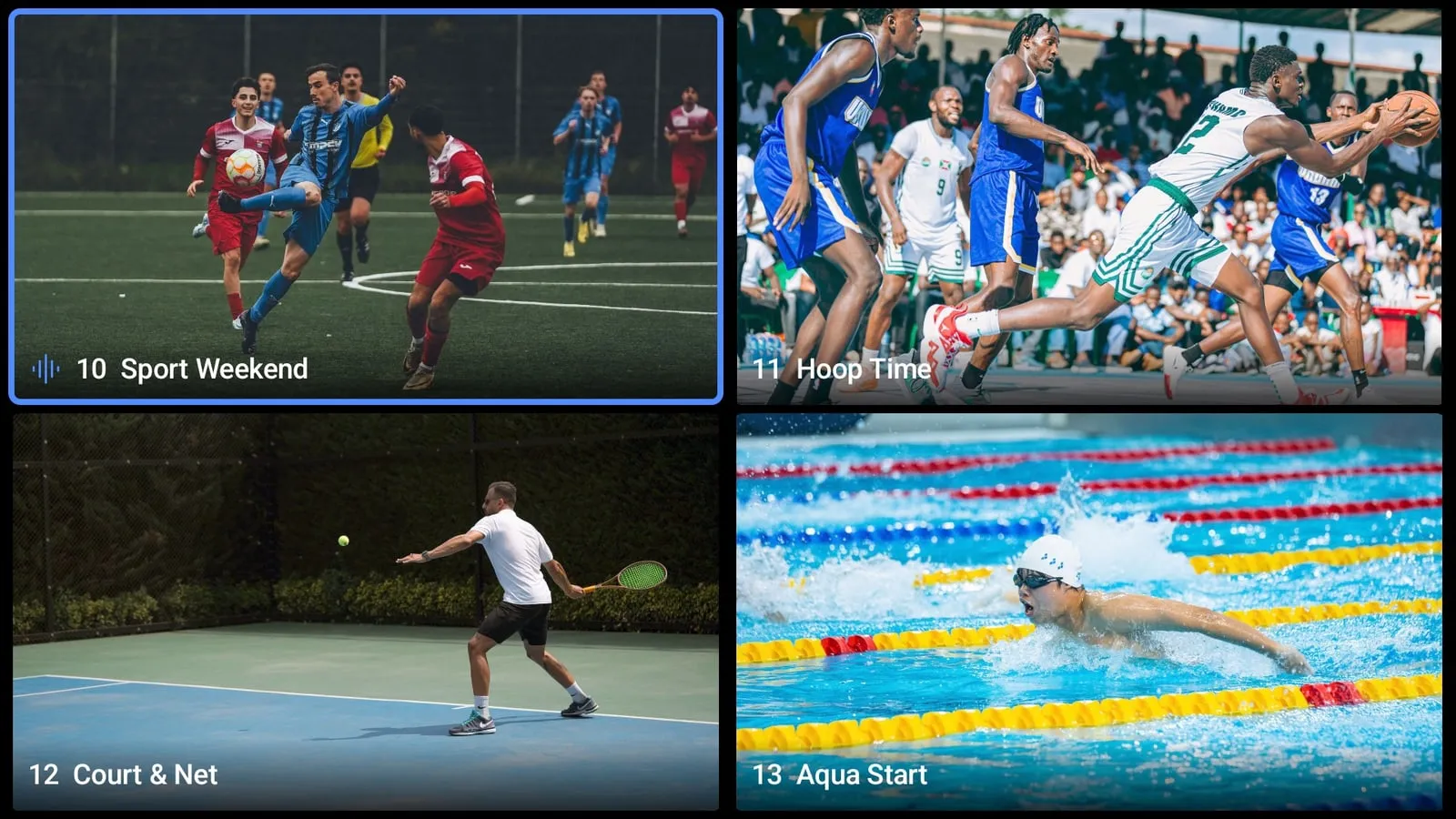
Multiview: four channels at once

Everything for IPTV in one app

M3U and Xtream Codes playlists

Up to 10 playlists: an M3U/M3U8 link, a file from storage or a USB drive, or Xtream Codes. Send a playlist from your phone to the TV with a QR code. All playlists merges them into one list without duplicates, and several sources of one channel fail over automatically.

Channel list with groups and what's on now

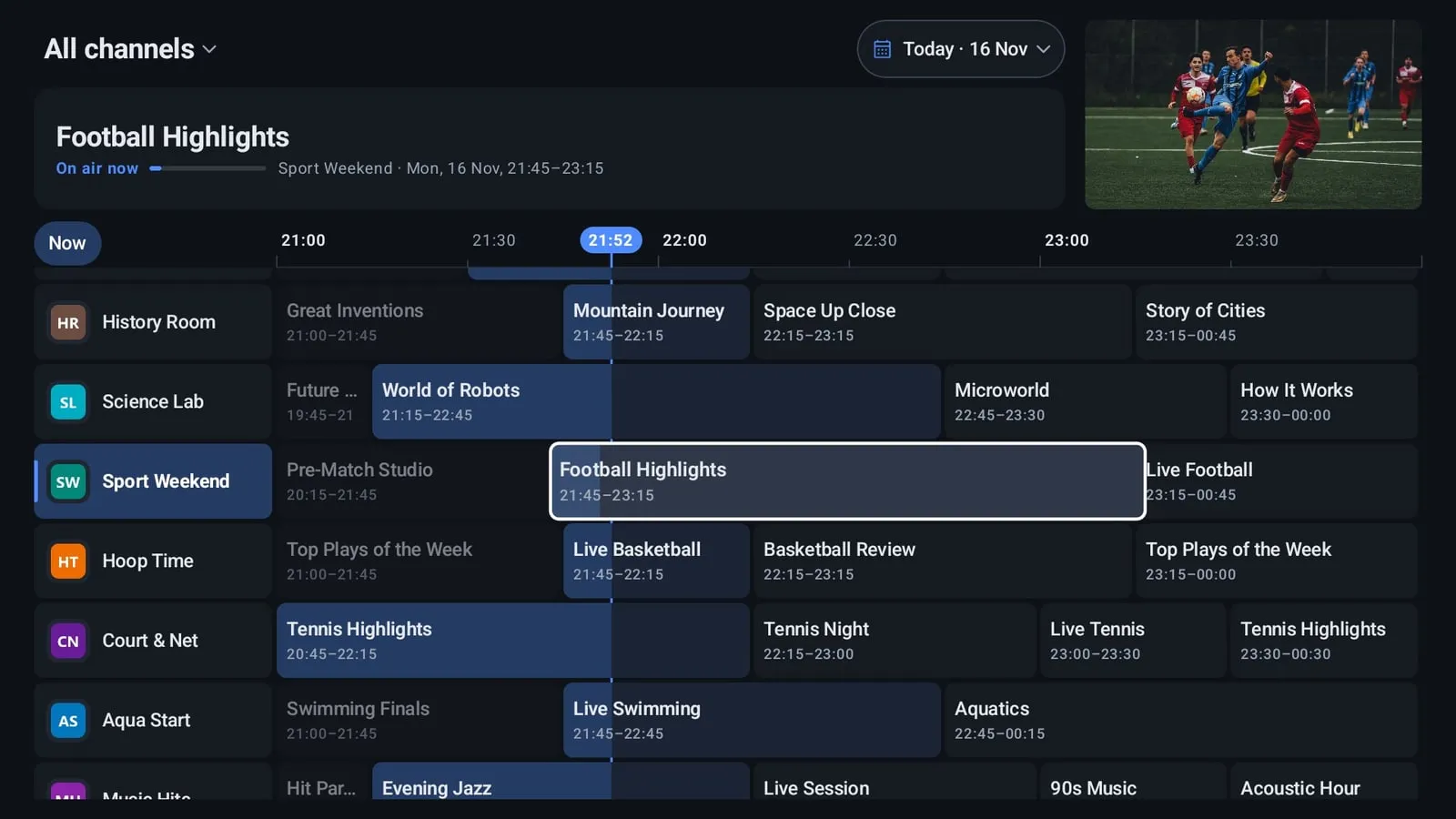
TV guide (EPG)

XMLTV, including .gz, from the playlist or your own links, plus a built-in guide for thousands of channels. Guide grid, now and next, reminders — even when Vezha is closed.

TV guide on a phone

Catch-up and recording

Past programmes if your provider supports catch-up, pause live TV and rewind. Record a channel without quality loss — manually or on a schedule from the guide — to device storage, a USB drive or a folder you choose.

A player that plays it all

HLS, MPEG-TS and other streams; MP2, AC3/E-AC3 and DTS audio even where the system lacks it. Audio tracks, subtitles, aspect ratio, sleep timer and automatic reconnect when a stream drops.

Multiview

Up to 4 channels at once if your provider allows several connections. On TV: refresh rate matched to the video (AFR) and Dolby/DTS passthrough to a soundbar; on phones: Chromecast and picture-in-picture.

Multiview: four channels at once

Comfortable for everyone

Interface size, high contrast and reduced motion. Parental control with a PIN for 18+ channels, settings backup and transfer to another device.

How to start watching

  1. Install Vezha

    From Google Play on your TV, TV box, phone or tablet. No sign-up needed.

  2. Add a playlist

    An M3U/M3U8 link or file, or an Xtream Codes account from your IPTV provider. On a TV, just scan the QR code and send the link from your phone.

  3. Watch

    Channels appear with groups and a TV guide. To try the app, add a public iptv-org playlist.

Vezha does not contain or sell any channels — it plays your own playlist.

Remote or touch — pick your home screen

Android 7.0 and newer: Android TV and Google TV sets, TV boxes, phones and tablets.

List — made for TV

Channels with group tabs, plus a live preview and TV guide of the focused channel on the right. Fully remote-friendly.

Home on a TV: channel list with a live preview and the TV guide

Shelves — made for phones

Channel rows by group and Continue watching. Swipe to switch channels, brightness and volume.

Home on a phone: Continue watching and recent channels

Your data stays with you

No sign-up, no ads. Vezha sends no data to the developer except to verify a Vezha+ purchase: your playlists and settings stay on your device, and with Vezha+ sync also in a hidden folder on your own Google Drive.

Privacy policy

Frequently asked questions

Does Vezha include channels?

No. Vezha is a player only: it does not contain or sell any channels. You need your own M3U/M3U8 playlist or an Xtream Codes account from an IPTV provider. Public iptv-org playlists are available to try the app.

Is Vezha free?

Yes. Watching, the TV guide, favorites, search and up to 3 playlists are free and ad-free. Recording, multiview, catch-up, reminders, up to 10 playlists and sync come with Vezha+: monthly, yearly or for life.

Which playlists does Vezha support?

M3U and M3U8 from a link or a file in storage or on a USB drive, plus Xtream Codes. Up to 10 playlists can be merged into one list without duplicates.

How do I add a playlist on a TV without typing the link with the remote?

Open Add playlist on the TV and scan the QR code with your phone — the link is sent from your phone.

Where does the TV guide come from?

Vezha reads XMLTV, including .gz, from the playlist or your own links. A guide for thousands of channels is built in.

Which devices does Vezha run on?

Android 7.0 and newer: Android TV and Google TV sets, TV boxes, phones and tablets. On TV everything works with the remote, on phones with touch.

Can I record programmes?

Yes, with Vezha+. A channel is recorded without re-encoding, in the same quality as the broadcast — manually or on a schedule from the TV guide, even when Vezha is closed.

Can I watch several channels at once?

Yes, multiview in Vezha+ shows up to 4 channels if your provider allows several simultaneous connections.

Does Vezha collect my data?

No. Vezha sends no data to the developer except to verify a Vezha+ purchase: playlists and settings stay on your device, and Vezha+ sync uses a hidden folder on your own Google Drive.

All signal, no noise — on every screen you own

Coming soon to Google Play

Contact us

A question, an idea or a bug you found — drop us a line.

support@vezha.tv